


# Copyright (c) 1997 Regents of the University of California.
# All rights reserved.
#
# Redistribution and use in source and binary forms, with or without
# modification, are permitted provided that the following conditions
# are met:
# 1. Redistributions of source code must retain the above copyright
#    notice, this list of conditions and the following disclaimer.
# 2. Redistributions in binary form must reproduce the above copyright
#    notice, this list of conditions and the following disclaimer in the
#    documentation and/or other materials provided with the distribution.
# 3. All advertising materials mentioning features or use of this software
#    must display the following acknowledgement:
#      This product includes software developed by the Computer Systems
#      Engineering Group at Lawrence Berkeley Laboratory.
# 4. Neither the name of the University nor of the Laboratory may be used
#    to endorse or promote products derived from this software without
#    specific prior written permission.
#
# THIS SOFTWARE IS PROVIDED BY THE REGENTS AND CONTRIBUTORS ``AS IS'' AND
# ANY EXPRESS OR IMPLIED WARRANTIES, INCLUDING, BUT NOT LIMITED TO, THE
# IMPLIED WARRANTIES OF MERCHANTABILITY AND FITNESS FOR A PARTICULAR PURPOSE
# ARE DISCLAIMED.  IN NO EVENT SHALL THE REGENTS OR CONTRIBUTORS BE LIABLE
# FOR ANY DIRECT, INDIRECT, INCIDENTAL, SPECIAL, EXEMPLARY, OR CONSEQUENTIAL
# DAMAGES (INCLUDING, BUT NOT LIMITED TO, PROCUREMENT OF SUBSTITUTE GOODS
# OR SERVICES; LOSS OF USE, DATA, OR PROFITS; OR BUSINESS INTERRUPTION)
# HOWEVER CAUSED AND ON ANY THEORY OF LIABILITY, WHETHER IN CONTRACT, STRICT
# LIABILITY, OR TORT (INCLUDING NEGLIGENCE OR OTHERWISE) ARISING IN ANY WAY
# OUT OF THE USE OF THIS SOFTWARE, EVEN IF ADVISED OF THE POSSIBILITY OF
# SUCH DAMAGE.
#
# $Header: /usr/src/mash/repository/vint/ns-2/tcl/ex/wireless.tcl,v 1.2 1999/02/24 23:27:34 haldar Exp $
#
# Ported from CMU/Monarch's code, nov'98 -Padma.

# ======================================================================
# Default Script Options
# ======================================================================
set opt(chan)  Channel/WirelessChannel
set opt(prop)  Propagation/TwoRayGround
#set opt(netif)  NetIf/SharedMedia
set opt(netif)  Phy/WirelessPhy
#set opt(mac)  Mac/802_11
set opt(mac)  Mac/802_11
set opt(ifq)  Queue/DropTail/PriQueue
set opt(ll)  LL
set opt(ant)            Antenna/OmniAntenna

set opt(x)  0 ;# X dimension of the topography
set opt(y)  0  ;# Y dimension of the topography
#set opt(cp)  "../mobility/scene/cbr-50-20-4-512" ;# connection pattern file
set opt(cp)  ""
set opt(sc)  "../mobility/scene/scen-670x670-50-600-20-2" ;# scenario file

set opt(ifqlen)  50  ;# max packet in ifq
set opt(nn)  51  ;# number of nodes
set opt(seed)  0.0
set opt(stop)  10.0  ;# simulation time
set opt(tr)  out.tr  ;# trace file
set opt(rp)             dsdv            ;# routing protocol script
set opt(lm)             "on"           ;# log movement

# ======================================================================

set AgentTrace   ON
set RouterTrace   ON
set MacTrace   OFF

LL set mindelay_  50us
LL set delay_   25us
LL set bandwidth_  0 ;# not used
LL set off_prune_  0 ;# not used
LL set off_CtrMcast_  0 ;# not used

Agent/Null set sport_  0
Agent/Null set dport_  0

Agent/CBR set sport_  0
Agent/CBR set dport_  0

Agent/TCPSink set sport_ 0
Agent/TCPSink set dport_ 0

Agent/TCP set sport_  0
Agent/TCP set dport_  0
Agent/TCP set packetSize_ 1460

Queue/DropTail/PriQueue set Prefer_Routing_Protocols    1

# unity gain, omni-directional antennas
# set up the antennas to be centered in the node and 1.5 meters above it
Antenna/OmniAntenna set X_ 0
Antenna/OmniAntenna set Y_ 0
Antenna/OmniAntenna set Z_ 1.5
Antenna/OmniAntenna set Gt_ 1.0
Antenna/OmniAntenna set Gr_ 1.0

# Initialize the SharedMedia interface with parameters to make
# it work like the 914MHz Lucent WaveLAN DSSS radio interface
Phy/WirelessPhy set CPThresh_ 10.0
Phy/WirelessPhy set CSThresh_ 1.559e-11
Phy/WirelessPhy set RXThresh_ 3.652e-10
Phy/WirelessPhy set Rb_ 2*1e6
Phy/WirelessPhy set Pt_ 0.2818
Phy/WirelessPhy set freq_ 914e+6
Phy/WirelessPhy set L_ 1.0

# ======================================================================

proc usage { argv0 }  {
 puts "Usage: $argv0"
 puts "\tmandatory arguments:"
 puts "\t\t\[-x MAXX\] \[-y MAXY\]"
 puts "\toptional arguments:"
 puts "\t\t\[-cp conn pattern\] \[-sc scenario\] \[-nn nodes\]"
 puts "\t\t\[-seed seed\] \[-stop sec\] \[-tr tracefile\]\n"
}


proc getopt {argc argv} {
 global opt
 lappend optlist cp nn seed sc stop tr x y

 for {set i 0} {$i  $argc} {incr i} {
  set arg [lindex $argv $i]
  if {[string range $arg 0 0] != "-"} continue

  set name [string range $arg 1 end]
  set opt($name) [lindex $argv [expr $i+1]]
 }
}


proc cmu-trace { ttype atype node } {
 global ns_ tracefd

 if { $tracefd == "" } {
  return ""
 }
 set T [new CMUTrace/$ttype $atype]
 $T target [$ns_ set nullAgent_]
 $T attach $tracefd
        $T set src_ [$node id]

        $T node $node

 return $T
}


proc create-god { nodes } {
 global ns_ god_ tracefd

 set god_ [new God]
 $god_ num_nodes $nodes
}

proc log-movement {} {
    global logtimer ns_ ns

    set ns $ns_
    source tcl/mobility/timer.tcl
    Class LogTimer -superclass Timer
    LogTimer instproc timeout {} {
 global opt node_;
 for {set i 0} {$i  $opt(nn)} {incr i} {
     $node_($i) log-movement
 }
 $self sched 0.1
    }

    set logtimer [new LogTimer]
    $logtimer sched 0.1
}

# ======================================================================
# Main Program
# ======================================================================
getopt $argc $argv

#
# Source External TCL Scripts
#
source tcl/lib/ns-mobilenode.tcl

#if { $opt(rp) != "" } {
 source tcl/mobility/$opt(rp).tcl
 #} elseif { [catch { set env(NS_PROTO_SCRIPT) } ] == 1 } {
 #puts "\nenvironment variable NS_PROTO_SCRIPT not set!\n"
 #exit
#} else {
 #puts "\n*** using script $env(NS_PROTO_SCRIPT)\n\n";
        #source $env(NS_PROTO_SCRIPT)
#}
source tcl/lib/ns-cmutrace.tcl

# do the get opt again incase the routing protocol file added some more
# options to look for
getopt $argc $argv

if { $opt(x) == 0 || $opt(y) == 0 } {
 usage $argv0
 exit 1
}

if {$opt(seed) > 0} {
 puts "Seeding Random number generator with $opt(seed)\n"
 ns-random $opt(seed)
}

#
# Initialize Global Variables
#
set ns_  [new Simulator]
set chan [new $opt(chan)]
set prop [new $opt(prop)]
set topo [new Topography]
set tracefd [open $opt(tr) w]

$topo load_flatgrid $opt(x) $opt(y)

$prop topography $topo

#
# Create God
#
create-god $opt(nn)


#
# log the mobile nodes movements if desired
#
if { $opt(lm) == "on" } {
    log-movement
}

#
#  Create the specified number of nodes $opt(nn) and "attach" them
#  the channel.
#  Each routing protocol script is expected to have defined a proc
#  create-mobile-node that builds a mobile node and inserts it into the
#  array global $node_($i)
#

if { [string compare $opt(rp) "dsr"] == 0} {
 for {set i 0} {$i  $opt(nn) } {incr i} {
  dsr-create-mobile-node $i
 }
} elseif { [string compare $opt(rp) "dsdv"] == 0} {
 for {set i 0} {$i  $opt(nn) } {incr i} {
  dsdv-create-mobile-node $i
 }
} elseif { [string compare $opt(rp) "leach"] == 0} {
 for {set i 0} {$i  $opt(nn) } {incr i} {
  leach-create-mobile-node $i
 }
} elseif { [string compare $opt(rp) "leach-c"] == 0} {
 for {set i 0} {$i  $opt(nn) } {incr i} {
  leach-create-mobile-node $i
 }
} elseif { [string compare $opt(rp) "stat-clus"] == 0} {
 for {set i 0} {$i  $opt(nn) } {incr i} {
  leach-create-mobile-node $i
 }
} elseif { [string compare $opt(rp) "mte"] == 0} {
 for {set i 0} {$i  $opt(nn) } {incr i} {
  leach-create-mobile-node $i
 }
}


#
# Source the Connection and Movement scripts
#
if { $opt(cp) == "" } {
 puts "*** NOTE: no connection pattern specified."
        set opt(cp) "none"
} else {
 puts "Loading connection pattern..."
 source $opt(cp)
}


#
# Tell all the nodes when the simulation ends
#
for {set i 0} {$i  $opt(nn) } {incr i} {
    $ns_ at $opt(stop).000000001 "$node_($i) reset";
}
$ns_ at $opt(stop).00000001 "puts \"NS EXITING...\" ; $ns_ halt"


if { $opt(sc) == "" } {
 puts "*** NOTE: no scenario file specified."
        set opt(sc) "none"
} else {
 puts "Loading scenario file..."
 source $opt(sc)
 puts "Load complete..."
}

puts $tracefd "M 0.0 nn $opt(nn) x $opt(x) y $opt(y) rp $opt(rp)"
puts $tracefd "M 0.0 sc $opt(sc) cp $opt(cp) seed $opt(seed)"
puts $tracefd "M 0.0 prop $opt(prop) ant $opt(ant)"

puts "Starting Simulation..."
$ns_ run
Showing posts with label study. Show all posts
Showing posts with label study. Show all posts
Thursday, September 13, 2012
Leach protocol tcl script NS2 simulation
Technical aptitude paper[Sample]
1. If you are using C language to implement the heterogeneous linked list, what pointer type
will you use?
2. Minimum number of queues needed to implement the priority queue?
3. What is the type of the algorithm used in solving the 8 Queens problem?
4. In RDBMS, what is the efficient data structure used in the internal storage representation?
5. What are the two classes of hardware building blocks?
6. Expand IDEA.
7. What is wide-mouth frog?
8. What are the typical elements of a process image?
9. What are the key object oriented concepts used by Windows NT?
10. Which containers use a border Layout as their default layout in JAVA?
11. What method is used to specify a container's layout in JAVA?
12. Which java.util classes and interfaces support event handling in JAVA?
13. What is the immediate superclass of the Applet class?
14. Which class is extended by all other classes?
15. What are the primitive operations common to all record management systems?
16. Name the buffer in which all the commands that are typed in are stored in DBMS?
17. What are the unary operations in Relational Algebra?
18. What are the standard predefined macros?
19. At what mode the fault handler executes in UNIX?
20. Is it possible to execute code even after the program exits the main() function. If yes, name
the function which can do this, if no, go to sleep.. :P ?
Answers:
1. We go for void pointer.
2. Two. One queue is used for actual storing of data and another for storing priorities.
3. Backtracking.
4. B+ tree. Because in B+ tree, all the data is stored only in leaf nodes, that makes searching
easier. This corresponds to the records that shall be stored in leaf nodes.
5. Nodes and Links.
6. IDEA stands for International Data Encryption Algorithm.
7. Wide-mouth frog is the simplest known key distribution center (KDC) authentication
protocol.
8. User data: Modifiable part of user space. May include program data, user stack area, and
programs that may be modified.
User program: The instructions to be executed.
System Stack: Each process has one or more LIFO stacks associated with it. Used to
store parameters and calling addresses for procedure and system calls.
Process control Block (PCB): Info needed by the OS to control processes.
9. Encapsulation, Object class and instance.
10. The Window, Frame and Dialog classes use a border layout as their default layout.
11. The setLayout() method is used to specify a container's layout.
12. The EventObject class and the EventListener interface support event processing.
13. Panel.
14. The Object class is extended by all other classes.
15. Addition, deletion and modification.
16. Edit Buffer.
17. PROJECTION and SELECTION.
18. The ANSI C standard defines six predefined macros for use in the C language:
Macro Name
__LINE__
__FILE__
__DATE__
__TIME__
__STDC__
__cplusplus
19. At the Kernel Mode.
20. The standard C library provides a function named atexit() that can be used to
perform "cleanup" operations when your program terminates. You can set up a set
Purpose
-Inserts the current source code line number in your code.
-Inserts the current source code filename in your code.
-Inserts the current date of compilation in your code.
-Inserts the current time of compilation in your code.
-Is set to 1 if you are enforcing strict ANSI C conformity.
-Is defined if you are compiling a C++ program.
of functions you want to perform automatically when your program exits by passing
function pointers to the atexit() function. Here's an example of a program that uses the
atexit() function:
#include <stdio.h>
#include <stdlib.h>
void close_files(void);
void print_registration_message(void);
int main(int, char**);
int main(int argc, char** argv)
{
...
atexit(print_registration_message);
atexit(close_files);
while (rec_count < max_records)
{
process_one_record();
}
exit(0);
}
This example program uses the atexit() function to signify that the close_files() function
and the print_registration_message() function need to be called automatically when
the program exits. When the main() function ends, these two functions will be called
to close the files and print the registration message. There are two things that should
be noted regarding the atexit() function. First, the functions you specify to execute at
program termination must be declared as void functions that take no parameters. Second,
the functions you designate with the atexit() function are stacked in the order in which
they are called with atexit(), and therefore they are executed in a last-in, first-out (LIFO)
method. Keep this information in mind when using the atexit() function. In the preceding
example, the atexit() function is stacked as shown here:
atexit(print_registration_message);
atexit(close_files);
Because the LIFO method is used, the close_files() function will be called first, and then
the print_registration_message() function will be called.
The atexit() function can come in handy when you want to ensure that certain functions
(such as closing your program's data files) are performed before your program terminates.
Download NCERT Books for free
There is a portal which provides you all versions(Hindi,English and Urdu) of NCERT books of all standards and available free for download as PDF.
Link:
http://nce
Link:
http://nce
Saturday, September 8, 2012
[Assembley Code]How to convert upper case to lower case and vice versa
; Name: Arpan Chavda

; Roll No.:09BCE006

; Aim: Enter string from user and convert upper case to lower case and

; vice versa without change in entered number in string.

;it runs on tasm assembler


read macro str1

    mov ah,0ah

    lea dx,str1

    int 21H

endm


disp macro str

     mov ah,09h

     lea dx,str

     int 21h

endm


data segment

str1 db 20

     db 0

     db 20 dup('$')

msg1 db "Enter the String : $"

msg2 db "Coverted string is:$"

nl db 0dH,0AH,'$'

data ends

code segment

assume cs:code,ds:data

start:

 mov ax,data

 mov ds,ax

 disp msg1

 read str1

 lea si,str1

 inc si

 mov cx,[si]

 dec cx


 lp1:  inc si

         mov al,[si]

  cmp al,39H

  jc skip

  mov al,[si]

  cmp al,5aH

  jnc subt

  mov al,[si]

  add al,20H

  mov [si],al

  jmp skip


 subt:   mov al,[si]

  sub al,20H

  mov [si],al


 skip: loop lp1


        disp nl

 disp msg2

 disp nl

 disp str1+2

 mov ah,4ch

 int 21h

code ends

end start


Output:


D:\BORLANDC\BIN>tasm str.asm

Turbo Assembler  Version 3.1  Copyright (c) 1988, 1992 Borland International


Assembling file:   string.asm

Error messages:    None

Warning messages:  None

Passes:            1

Remaining memory:  459k


D:\BORLANDC\BIN>tlink str.obj

Turbo Link  Version 5.1 Copyright (c) 1992 Borland International

Warning: No stack


D:\BORLANDC\BIN>str.exe

Enter the String : as99DDF

Converted string is:

AS99ddf
[PROLOG] How to insert an element in list?
%program to insert an element in list


domains

 A=symbol *.

predicates

 addsym(A,symbol,integer,A).

clauses

 addsym([],S,N,Q):-

  N<>0.

 addsym(P,S,N,[S|Q]):-

  N=0,!,

  addsym(P,S,-1,Q),

  write("inserted").


 addsym([H|T],S,N,[H|Q]):-

  B=N-1,

  addsym(T,S,B,Q),

  write("ins").
[C-CODE] TCP Implementation in C
/*----------------------------tcp_client.c----------------------------------------*/
#include<stdio.h>
#include<sys/socket.h>
#include<sys/types.h>
#include<netinet/in.h>
#include<string.h>
#define LOCAL_PORT 1500
#define SIZE 20
int main()
{
int sd,cd,len;
char buff1[SIZE],buff[SIZE];
struct sockaddr_in server,client;
sd = socket(AF_INET,SOCK_STREAM,0);
client.sin_family = AF_INET;
client.sin_port = htons(LOCAL_PORT);
client.sin_addr.s_addr = inet_addr("127.0.0.1");
bind(sd,(struct sockaddr *)&client,sizeof(client));
server.sin_family = AF_INET;
server.sin_port = htons(LOCAL_PORT);
server.sin_addr.s_addr = inet_addr("127.0.0.1");
connect(sd,(struct sockaddr *)&server,sizeof(server));
while(1)
{
/*Sending to server*/
printf("Enter the data:");
scanf("%s",buff1);
printf("Data:-%s",buff1);
write(sd,buff1,20);
printf("\n");
/*Receiving from server*/
read(cd,buff,20);
printf("Data:- %s\n",buff);
}
close(sd);
return 0;
}
/*----------------------------tcp_server.c----------------------------------------*/
#include<stdio.h>
#include<sys/socket.h>
#include<sys/types.h>
#include<netinet/in.h>
#define LOCAL_PORT 1500
int main()
{
int sd,cd,buff[20],cliLen;
char buff1[20];
struct sockaddr_in server,client;
sd = socket(AF_INET,SOCK_STREAM,0);
server.sin_family = AF_INET;
server.sin_port = htons(LOCAL_PORT);
server.sin_addr.s_addr = inet_addr("127.0.0.1");
bind(sd,(struct sockaddr *)&server,sizeof(server));
listen(sd,5);
cliLen = sizeof(client);
cd = accept(sd,(struct sockaddr *)&client,&cliLen);
while(1)
{
/*Receiving from client*/
read(cd,buff,20);
printf("Data:- %s\n",buff);
/*Sending to client*/
printf("Enter the data:");
scanf("%s",buff1);
// printf("Data:-%s",buff1);
write(cd,buff1,20);
printf("\n");
}
close(cd);
close(sd);
return 0;
}
[MATLAB] Histogram Matching program
final_img=imread('fig3.jpg');

input_img=imread('fig3.jpg');

ref_img=imread('fig3.jpg');

[m n]=size(input_img);

mn=m*n;


pdf_main=zeros(1,256);

pdf_ref=zeros(1,256);

cdf_main=zeros(1,256);

cdf_ref=zeros(1,256);

tmp=zeros(1,256);

final=zeros(m,n);

%a=0;

%b=0;


for k=1:m

        for l=1:n

            for r=0:255

                if(input_img(k,l)==r)

                    pdf_main(1,r+1)=pdf(1,r+1)+1;

                end


            end

        end

end


for k=1:m

        for l=1:n

            for r=0:255

                if(ref_img(k,l)==r)

                    pdf_ref(1,r+1)=pdf(1,r+1)+1;

                end


            end

        end

end

sum=0;

for i=1:256

    sum=sum+pdf_main(1,i);

    cdf_main(1,i)=sum;

end

sum=0;


for i=1:256

    sum=sum+pdf_ref(1,i);

    cdf_ref(1,i)=sum;

end

for i=1:256

    for j=1:256

        if cdf_main(1,i)==cdf_ref(1,j)

            k=j;

            break;

        else if cdf_main(1,i)< cdf_ref(1,j)

                k=j-1;

                break;

            end

        end

    end

    tmp(1,i)=k;

end


for i=1:m

    for j=1:n

        for u=1:256

             if input_img(i,j)== u

                 final_img(i,j)=tmp(1,u);

                 break;

             end

        end

    end

end

subplot(3,3,1);

imshow(input_img);

title('Input image');


subplot(3,3,2);

plot(pdf_main);

title('PDF Input');


subplot(3,3,3);

plot(cdf_main);

title('CDF Input');


subplot(3,3,4);

imshow(ref_img);

title('Reference image');


subplot(3,3,5);

plot(pdf_ref);

title('PDF Reference');


subplot(3,3,6);

plot(cdf_ref);

title('CDF Reference');


subplot(3,3,7);

imshow(final_img);

title('Final image');


subplot(3,3,8);

plot(tmp);

title('Transformation function');
[MATLAB] Histogram Equalization program
final_img=imread('fig3.jpg');

input_img=imread('fig3.jpg');

[m n]=size(input_img);

mn=m*n;


pdf=zeros(1,256);

cdf=zeros(1,256);

tmp=zeros(1,256);

final=zeros(m,n);

%a=0;

%b=0;


for k=1:m

        for l=1:n

            for r=0:255

                if(input_img(k,l)==r)

                    pdf(1,r+1)=pdf(1,r+1)+1;

                end


            end

        end

end

sum=0;

for i=1:256

    sum=sum+pdf(1,i);

    cdf(1,i)=sum;

end


for i=1:256

    tmp(1,i)=floor((cdf(1,i)/(mn))*255);

end

for i=1:m

    for j=1:n

        for k=0:255

            if input_img(i,j)==k

                break;

            end

        end

        final_img(i,j)=tmp(1,k+1);

    end

end

subplot(2,2,1);

imshow(input_img);

title('Input image');

subplot(2,2,2);

plot(pdf);

title('PDF');

subplot(2,2,3);

imshow(final_img);

title('Equalized image');

subplot(2,2,4);

plot(cdf);

title('CDF');
[MATLAB] Gamma,Log and Negetive Trasformation Code
log_input=imread('fig3.jpg');

gamma_input=imread('fig6.jpg');

neg_input=imread('fig5.jpg');


%img=rgb2gray(inpt);

%imview(img);

[m n]=size(log_input);

[o p]=size(gamma_input);

[q r]=size(neg_input);


log_opt=zeros(m,n);

gamma_opt=zeros(o,p);

neg_opt=zeros(q,r);

for  k=1:m

    for l=1:n

        log_opt(k,l)=30*log(double(log_input(k,l)));

    end

end

for  k=1:o

    for l=1:p

        gamma_opt(k,l)=0.6*power(double(gamma_input(k,l)),0.98);

        end

end


for  k=1:q

    for l=1:r

        neg_opt(k,l)=255-neg_input(k,l);

    end

end


subplot(3,2,1);

imshow(uint8(log_input));

title('Original image');

subplot(3,2,2);

imshow(uint8(log_opt));

title('Log Transformation');

subplot(3,2,3);

imshow(uint8(gamma_input));

title('Original image');

subplot(3,2,4);

imshow(uint8(gamma_opt));

title('Gamma Transformation');

subplot(3,2,5);

imshow(uint8(neg_input));

title('Original image');

subplot(3,2,6);

imshow(uint8(neg_opt));

title('Negetive Transformation');
Sunday, September 2, 2012
[ANTLR]Simple Expression evalution using ANTLR
// additional functionality of power right associative


grammar Exp;


options{

k=2;

}


/* This will be the entry point of our parser. */

eval returns [double value]

    :    additionExp{$value=$additionExp.value;   System.out.println($value);}

    ;


/* Addition and subtraction have the lowest precedence. */

additionExp returns [double value]

    :    m1=multiplyExp {$value=$m1.value;}

         ( '+' m2=multiplyExp {$value+=$m2.value;}

         | '-' m2=multiplyExp {$value-=$m2.value;}

         )*

    ;


/* Multiplication and division have a higher precedence. */

multiplyExp returns [double value]

    :    a1=restExp {$value=$a1.value;}

         ( '*' a2=restExp {$value*=$a2.value;}

         | '/' a2=restExp {$value/=$a2.value;}

         | '%' a2=restExp {$value=$value\%$a2.value;}

         )*

    ;


/* Power have a higher precedence. */

restExp returns [double value]

    :      a1=incdecExp {$value=$a1.value;}

           (

            '^' a2=restExp {$value=Math.pow($value,$a2.value);}

           )*

    ;


/* Power have a higher precedence. */

incdecExp returns [double value]

    :     a1=atomExp {$value=$a1.value;}

          ('++' {$value+=1;} )*


    ;


/* An expression atom is the smallest part of an expression: a number. Or

   when we encounter parenthesis, we're making a recursive call back to the

   rule 'additionExp'. As you can see, an 'atomExp' has the highest precedence. */

atomExp returns [double value]

    :    Number {$value=Double.parseDouble($Number.text);}

      |  '(' additionExp ')' {$value=$additionExp.value;}


    ;


/* A number: can be an integer value, or a decimal value */

Number

    :    ('0'..'9')+ ('.' ('0'..'9')+)?

    ;


/* We're going to ignore all white space characters */

WS

    :   (' ' | '\t' | '\r'| '\n') {$channel=HIDDEN;}

  ;
[lex-yacc] Simple Expression evalution using lex & yacc
CAL1.l----------------------------------------------------------------------

%{

#include <stdlib.h>

#include <stdio.h>

#include "y.tab.h"

void yyerror(char*);


%}


%%

[ \t]+ ;

[0-9]+\.[0-9]+ {yylval.fval=atof(yytext);return FLOAT;}

[0-9]+ {yylval.ival=atoi(yytext);return INTEGER;}

[-+*/] {return *yytext;}

"(" {return *yytext;}

")" {return *yytext;}

\n {return *yytext;}

. {printf("invalid character: %c",*yytext);}


CAL1.Y--------------------------------------------------------------------------------------------------

%{

#include <stdlib.h>

#include <stdio.h>

int yylex(void);


%}

%union  {int ival; float fval;}


%token <ival> INTEGER

%token <fval> FLOAT

%type <fval> expr

%type <fval> mulex

%type <fval> term

%%


program:

       line program

       | line

line:

       expr '\n' { printf("%f\n",$1); }

       | '\n'

expr:

       expr '+' mulex { $$ = $1 + $3; }

       | expr '-' mulex { $$ = $1 - $3; }

       | mulex { $$ = $1; }

mulex:

       mulex '*' term { $$ = $1 * $3; }

       | mulex '/' term { $$ = $1 / $3; }

       | term { $$ = $1; }

term:

       '(' expr ')' { $$ = $2; }

       | INTEGER { $$ = $1; }

       | FLOAT {$$ = $1;}

%%

void yyerror(char *s)

{

fprintf(stderr,"%s\n",s);

return;

}


int main(void)

{

yyparse();

return 0;

}
How to run it?
$lex cal.l
$yacc -d cal.y
$gcc -o cal lex.yy.c y.tab.c -ll
$./cal
Reverse Enginnering
Reverse
Enginnering
The term reverse engineering as applied to
software means different things to different people."Reverse engineering
is the process of analyzing a subject system to create representations of the
system at a higher level of abstraction." It can also be seen as
"going backwards through the development cycle". In this model, the
output of the implementation phase (in source code form) is reverse-engineered
back to the analysis phase, in an inversion of the traditional waterfall model.
Reverse engineering is a process of examination only: the software system under
consideration is not modified (which would make it re-engineering). In
practice, two main types of reverse engineering emerge. In the first case,
source code is already available for the software, but higher-level aspects of
the program, perhaps poorly documented or documented but no longer valid, are
discovered. In the second case, there is no source code available for the
software, and any efforts towards discovering one possible source code for the software
are regarded as reverse engineering. This second usage of the term is the one
most people are familiar with.
Reverse engineering of software can be
accomplished by various methods. The three main groups of software reverse
engineering are:
·
Analysis
through observation of information exchange, most prevalent in protocol reverse
engineering, which involves using bus analyzers and packet sniffers, for
example, for accessing a computer bus or computer network connection and
revealing the traffic data thereon. Bus or network behavior can then be
analyzed to produce a stand-alone implementation that mimics that behavior.
This is especially useful for reverse engineering device drivers. Sometimes,
reverse engineering on embedded systems is greatly assisted by tools
deliberately introduced by the manufacturer, such as JTAG ports or other
debugging means. In Microsoft Windows, low-level debuggers such as SoftICE are
popular.
·
Disassembly
using a disassembler, meaning the raw machine language of the program is read
and understood in its own terms, only with the aid of machine-language
mnemonics. This works on any computer program but can take quite some time,
especially for someone not used to machine code. The Interactive Disassembler
is a particularly popular tool.
·
Decompilation
using a decompiler, a process that tries, with varying results, to recreate the
source code in some high-level language for a program only available in machine
code or bytecode.
Using
process re-engineering technique for Database Manager, our system will help
small enterprises to efficiently manage their accounts and stocks. According to
their need, customers can also design their own databases. Thus, it will lead
them to more flexible system and will improve their functionality.
The objective of the Tranformation
Team is to re-engineer the way in which small enterprises handle their data and
stocks. It will enable them to have a great harmony in business and to
progress.
This is accomplished
through:
·
Operational
Discovery Audits - At the beginning of all strategic engagements Operational
Discovery Audits are conducted by a team of enterprise vice presidents,
executive advisors, and transformation engineers. During this 2-day, onsite
visit we interview every level of the organization including front line staff,
managers, and executives to get a better understanding of how the enterprise
operates.
·
Current/Future
State Analysis - During phase one of implementation, members of the team will
work with organisation's team members to document in detail current enterprise
operations. Once there is an understanding of how the organization presently
works and its current management system, the Transformation team will work to
create swim lane diagrams outlining the optimal future state processes.
·
On
Path Progress Reports - Our transformation engineering team helps you make a
smooth transition from your current management system to go-live with your new
system to successful on-going performance via our reporting process. Included in
the maintenance of your customer management system are on six month check-ups
after each module go-live. This analysis provides you feedback on your progress
towards achieving optimal sustained performance.
Wifi technology
WiFi enabled devices are connected wirelessly and can connect to the Internet via a wireless access point.WiFi can function in geographical location and can be used where wiring and cable connection is not feasible.
In this experiment we will learn the different standards and the simulation of WiFi network. It also explains the concept of hidden node and exposed node problem and solve these issues.
The following hardware devices are required for connecting the Wi Fi Network.
Access Point
Access Point acts as a bridge between the wireless devices and wired network. It allows multiple devices to connect through it for accessing the network. An AP can also act as a router by which the data transmission can be possible from one access point to another.
Wireless Network Card
A wireless network card is required on each device on a wireless network. A laptop usually has an expansion slot which the network card would fit in to. A desktop computer would need an internal card, which will usually have a small antenna or an external antenna on it. These antennas are optional on most equipment and they help to increase the signal on the card.
Transmitter
A transmitter is basically used for emitting the wireless signals and it also receive the connection requests where a wireless client will send the requests and receives the replies from the transmitter. Here the transmitter is the wireless router.
How to connect Wi-Fi Network?
Wi-Fi Network is very easy to connect. If you will think about your laptop with any operating systems, then you can easily connect to a Wi-Fi network for accessing or you can share different files on a network.
Once you have acquired the necessary wireless networking hardware then the next step is to connect it all together to form a network and allow each device to communicate. The instructions below will act as basic guidelines of what needs to be done.
* The distance between each computer should be below 100 meters
* Each computer should be on the same floor
* Plug the access point into the power outlet and existing Ethernet jack on the network
* Configure the access point (usually via a web browser)
* Configure the client computers with the appropriate network settings required to be able to communicate with the access point.
Benefits of Wi Fi
Following are the different benifits of Wi Fi Networks
* In wireless ad-hoc network mode, devices like consumer electronics and gaming applications can directly connect and exchange data with each other.
* Digital images can be transferred wirelessly from cameras and other devices.
* All connected devices within the range have access to internet and inter-networking.
* Wi-Fi enables wireless voice-applications (Vo WLAN or WVOIP).
* Wi Fi provides a secure computer networking gateway, firewall, DHCP server and an intrusion detection system among many other features.
* Cost of cabling and network deployment of Local Area Networks is significantly reduced.
* Can be used at placed where wiring and cable lay-out is not feasible
* Due to its cost effective nature, it can be used widely in corporate set-ups and different educational campuses.
* A standard Wi Fi device can function in any geographical location.
Limitations
Like any other types of technology, Wi Fi has its set of drawbacks that are listed as follows:
* Global inconsistency of spectrum assignments and operational limitations.
* Overlapping of channels
* Limited range of equivalent isotropically radiated power in some areas.
* Greater power consumption compared to lower bandwidth standards.
* Limited battery life due to range and reach requirements.
* Wi Fi network range is also limited.
[C-CODE] Reverse file content using lseek function
#include<protos.h>

#include<io.h>


void main()

{

 clrscr();


 int fd=open("C:\\text.txt",O_RDONLY);


 if(fd==-1)

 {

  printf("FIle does not exists....");

  return ;

 }


 char c;

 int i=0;

 lseek(fd,-1L-i,SEEK_END);


 do

 {

  read(fd,&c,1);

  printf("%c",c);

  i++;

 }

 while( lseek(fd,-1L-(i),SEEK_END)!=0);


 read(fd,&c,1);

 printf("%c",c);

 getch();

}
How to run it?
$gcc file.c \
$./a.out
[C-CODE] Copy file contents using system calls
/*Code open-sourced by http://codejar-lab.in
This is only for study purpose only and if you found any error use own logic to correct it so dont comment error.
*/
#include <syscall.h>

#include <unistd.h>

#include <sys/types.h>

#include <fcntl.h>

#include <sys/uio.h>

#include <sys/stat.h>

#include <stdio.h>

int main(int argc,char * argv[])

{

        int fd;

        fd=open(argv[1],O_CREAT | O_RDONLY);

        if(fd==-1)

        {

                printf("error opening the file");

        }

        void *buf = (char*) malloc(120);

        int count=read(fd,buf,120);

        printf("count : %d",count);

        printf("%s",buf);

        close(fd);

        int f1;

        f1=open(argv[2],O_CREAT | O_WRONLY);

        if(f1==-1)

        {

                printf("error opening the file");

        }

        int c;

        while(count=read(fd,buf,120)>0)

        {

                c=write(f1,buf,120);

        }

        if(c==-1)

 {

                printf("error writing to the file");

        }


        close(f1);

}
How to run it?
$gcc file.c
$./a.out
[C-CODE]Program to sum numbers using parallel processing
/*Code open-sourced by http://codejar-lab.in
This is only for study purpose only and if you found any error use own logic to correct it so dont comment error.
*/

#include<stdio.h>

#include<sys/ipc.h>

#include<sys/wait.h>

#include<sys/shm.h>


int FFork(int iProcess)

{

        int iCount;

        int PId;

        for (iCount=1; iCount<iProcess; iCount++)

        {

                PId = fork();

                if (PId == 0)

                        return(iCount);

        }

        return(0);

}


void FJoin(int nProc,int PId)

{

        int iCount;

        if (PId == 0)

                for (iCount=1; iCount<nProc; iCount++)

                        wait(0);

        else

                exit(0);

}


void *sshared (int size, int *shmid)

{

        *shmid=shmget ( IPC_PRIVATE, size,0666 | IPC_CREAT);

        if (*shmid < 0)

        {

                printf("Error, cannot share memory");

                exit(0);

        }

        return shmat(*shmid,0,0);

}

void cleanup_memory(int *shmid)

{

        struct shmid_ds *buf;

        if (shmctl(*shmid,IPC_RMID,buf) !=0)

        {

                printf("Error, cannot free memory");

                exit(0);

        }

}


int main()

{

        int a[10]={1,2, 3,4, 5,6, 7,8, 9,10};

        int pid,j;

        int *sum,shmid;

        sum=(int *)sshared(sizeof(int)*5,&shmid);

        pid=FFork(5);

        printf("Current process : %d"  ,pid);

        for(j=pid;j<pid+2;j++)

        {

                sum[pid] = sum[pid] + a[j] ;

        }

        FJoin(5,pid);

         printf("[1] = %d\n", sum [0] );

         printf("[2] = %d\n", sum [1] );

         printf("[3] = %d\n", sum [2] );

         printf("[4] = %d\n", sum [3] );

         printf("[5] = %d\n", sum [4] );

        printf("Total sum = %d\n", sum[0] + sum[1] + sum[2] + sum[3] + sum[4]);

}
How to run it? $gcc file.c
$./a.out
[C-CODE]How to fork process in unix?
/*Code open-sourced by http://codejar-lab.in This is only for study purpose only and if you found any error use own logic to correct it so dont comment error. */ #include<stdio.h>How to run it?int main() { int PId; PId = fork(); if ( PId == 0 ) { printf("Child Here.....\n"); sleep(20); printf(" Parent Id : %d\n",getppid()); printf(" My Id : %d\n",getpid()); } else { printf("Parent Here.....\n"); printf(" My Child : %d\n",PId); printf(" My Id : %d\n",getpid()); printf(" My Parent : %d\n",getppid()); } }
$gcc file.c
$./a.out
Saturday, July 28, 2012
Solution Manual for Computer System Architecture by Morris Mano(3rd Ed)
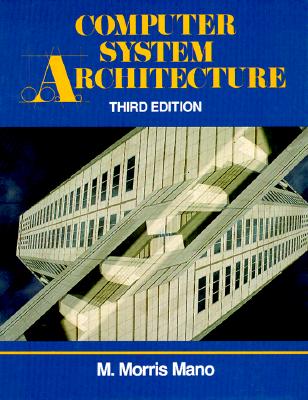
Download the solution manual of above book from following link
Solution Manual for Computer Networks by Andrew S Tanunbaum

Download the solution manual from following link:

Subscribe to:
Posts (Atom)

 Posts
Posts

